


TLDR
A website brief template helps you explain what your business needs before a developer estimates the work. It brings your goals, target audience, pages, features, budget, and responsibilities into one document. Use the copyable template below to prepare a new website or redesign, then work through the completed small-business example.
This guide is for business owners hiring a freelance or remote developer. You can complete the business sections yourself and ask a specialist to clarify technical decisions. The aim is a brief that someone can use to scope, quote, and deliver the project.
Download the free website brief template
Use the fillable six-page PDF to plan your goals, pages, features, content, budget, and handoff. Type your answers into the fields or print a copy to complete by hand.
Download the Free Website Brief Template
PDF worksheet with editable fields and a readiness checklist.
Table of Contents
What is a website brief?
A website brief records what you want the site to achieve, its requirements, and the boundaries of a web design project. It gives the designer and developer shared context before they recommend a solution.
Include what should change, who the site serves, and how you will approve the finished work. A proper brief also makes unanswered questions visible. If you have an existing website, explain its problems and what must remain.
The Digital Culture Network website brief guide covers objectives, scope, sitemap, timeline, technical requirements, and budget. Our template adapts those planning principles for an owner working directly with a developer.
Creative brief templates versus a web design brief
Creative briefs explain the vision and messages behind a campaign or project. A website design brief connects that direction to the pages, behavior, and outputs the team must create. The names overlap across companies, so agree what your document covers.
| Document | Main purpose | Website example |
|---|---|---|
| Creative brief | Explain strategy, audience, and key messages. | Position a bookkeeping business for local retailers. |
| Design brief | Describe visual direction and production requirements. | Specify mobile layouts, brand assets, and approved designs. |
| Website project brief | Combine business context with scope, features, ownership, and approval. | Define a five-page site and how its inquiry form should work. |
Use creative brief templates for the broader messaging work if needed. Then carry the relevant decisions into your website brief. Figma’s design brief guidance also distinguishes the project overview from design requirements and deliverables.
Website brief template to copy
Copy these fields into a shared document. Replace the bracketed prompts with your answers, give the brief a version date, and nominate one owner. Keep supporting files in a linked folder.
1. Project overview and company background
Project name: [Name]
Business and contact: [Company, project owner, email]
Background: [What you sell, your industry, service location, and relevant mission statement]
Reason for the project: [New site, redesign, or specific problem to solve]
Explain the business in language a new collaborator can understand. Include the marketing message the website should communicate.
2. Business goals and success measures
Primary objective: [The action visitors should take, such as sending an inquiry]
Supporting objectives: [Other useful outcomes]
Measurement: [What you will track, the starting point if known, and when to review it]
Separate a business ambition from a delivery requirement. More inquiries may be the ambition; a tested inquiry form is something the developer can demonstrate before launch.
3. Target audience and customer needs
Main visitors: [Who they are and what they need]
Questions or concerns: [What stops them taking action]
Priority journey: [Where they arrive, what they read, and their next step]
Use what you know from existing clients, customer inquiries, or research. Mark assumptions clearly instead of inventing audience data.
These answers shape the content and navigation. A visitor comparing services needs different information from an existing customer seeking support.
4. Current website and content to retain
Current website: [URL, platform, and known problems]
Keep: [Useful pages, working features, and approved content]
Review: [Pages to improve, combine, remove, or redirect]
Access owner: [Who controls the domain, hosting, and accounts]
Attach relevant examples of problems, such as a confusing navigation map or an inquiry form that sends messages to the wrong person.
5. Project scope and sitemap
Included pages: [Page list and purpose]
Must-have features: [Features needed for launch]
Later improvements: [Optional work outside this phase]
Excluded work: [What the quote should not include]
List pages separately from features. A Contact page is a page; routing its form to a customer system is a feature. Both affect project scope.
If a blog is part of the scope, decide who creates posts and maintains the categories. Explain whether the site needs forms to generate sales inquiries, newsletter subscriptions, or another type of response.
6. Brand guidelines and graphic design
Brand files: [Logo, colors, fonts, and usage guidance]
Visual references: [Links and specific elements you like]
Graphic design needs: [New illustrations, icons, or other assets]
File formats: [Editable source files and final exports to deliver]
Describe the concept behind each reference. Your designer needs to understand the intended feel and function, not simply match another website’s appearance.
7. Website features and technical requirements
Platform: [Current choice or decision requiring advice]
Functions: [Forms, search, bookings, accounts, or payments]
Integrations: [Existing tools and the information exchanged]
Testing: [Agreed devices, browsers, and key journeys]
Describe behavior in plain language. For example: a successful form submission sends the business an email and shows the visitor a confirmation. Record any accessibility requirements your team needs assessed.
8. Content responsibilities and SEO
Copy and images: [Who supplies, edits, and approves them]
Content deadline: [When materials will be available]
SEO work: [Agreed titles, descriptions, redirects, and other tasks]
Analytics: [Who defines and checks the actions to measure]
A redesign needs an explicit plan for existing URLs and useful content. Assign those decisions rather than assuming they are included in every web design quote.
9. Budget and ongoing costs
Project budget: [Range and currency]
Payment milestones: [Agreed stages]
Separate costs: [Hosting, domain, subscriptions, and licenses]
Optional items: [Work to quote separately]
Ask which recurring services the business must pay for and who will manage renewals after launch.
10. Timeline and dependencies
Preferred launch: [Date and reason]
Milestones: [Brief approval, design, build, testing, and handover]
Dependencies: [Content, access, integrations, or external approval]
Feedback window: [Who responds and by when]
Allow time for your team to review pages and answer questions. A schedule depends on both parties completing their tasks.
11. Deliverables and acceptance criteria
Final outputs: [Website, source files, documentation, and training]
Acceptance checks: [Observable conditions for approval]
Final approver: [One named decision-maker]
Changes: [How extra requests are estimated and approved]
For a booking feature, state which calendar it connects to and what a test booking must do. Agree how many review rounds the proposal includes.
12. Launch and maintenance handoff
Account ownership: [Business-owned accounts and required access]
Launch responsibilities: [Deployment, checks, and rollback contact]
Handover: [Instructions and training]
Ongoing support: [Owner, scope, term, and separate charges]
Share critical details about access through an appropriate secure channel. Keep passwords and private customer information out of the brief.
How to complete your design brief step by step
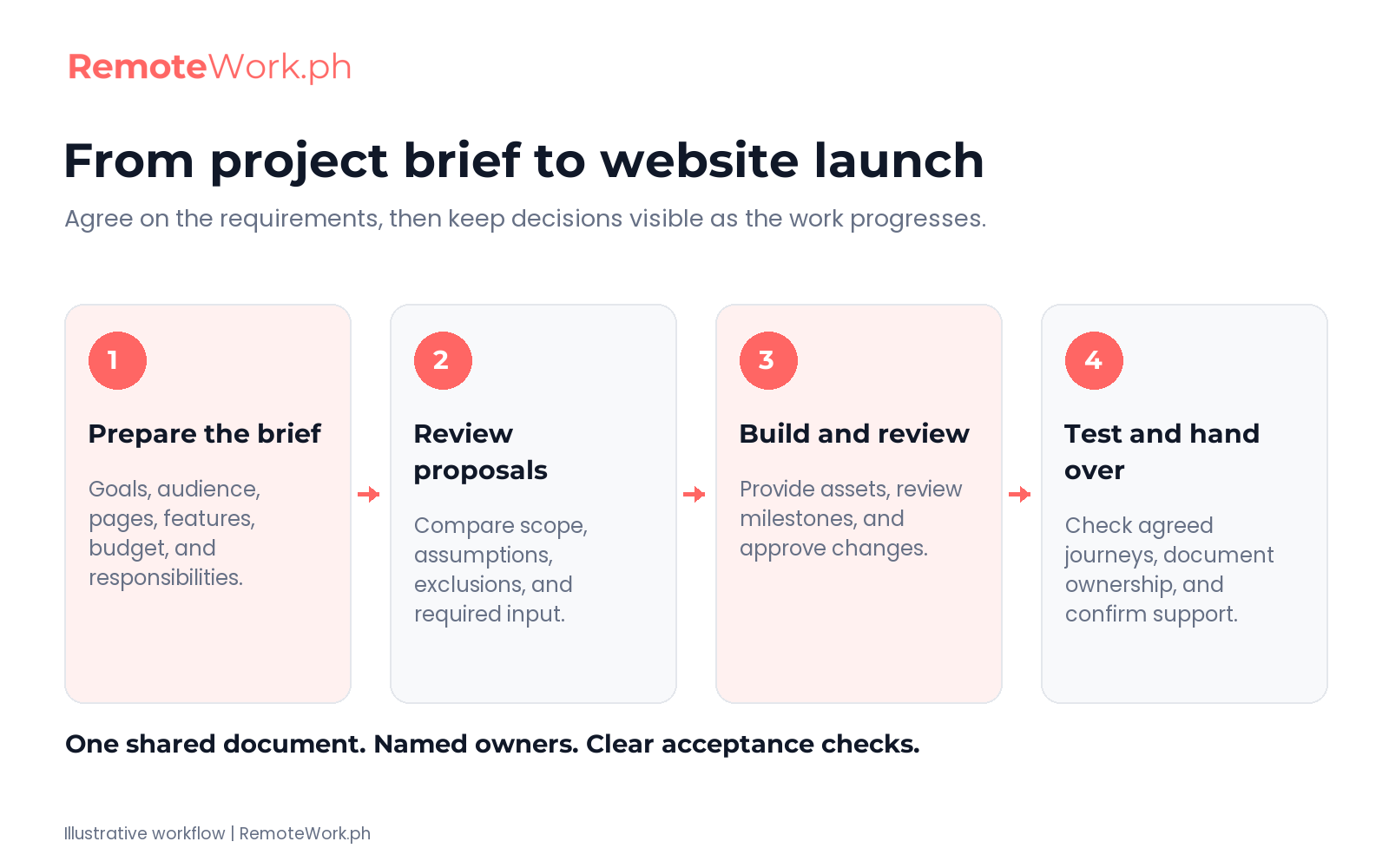
Focus first on the business decisions, then use the developer’s feedback to refine the technical details. This step by step guide keeps the process manageable.
- Write the problem first. Explain what is difficult today and what visitors need to do more easily. Avoid opening with a list of fashionable design features.
- Gather evidence. Review customer questions, current website problems, and relevant examples. Describe what you admire about competitors without asking anyone to copy their work.
- Prioritize the first release. Separate essential requirements from ideas for later. Ask the developer to flag anything likely to affect the budget or timeline.
- Confirm ownership. Give content, access, approvals, and testing an owner. Let the developer identify missing information before agreeing to a schedule.
- Review and approve the brief. Resolve open questions together. Keep a dated version and record agreed changes so everyone works from the same plan.
Completed website brief example
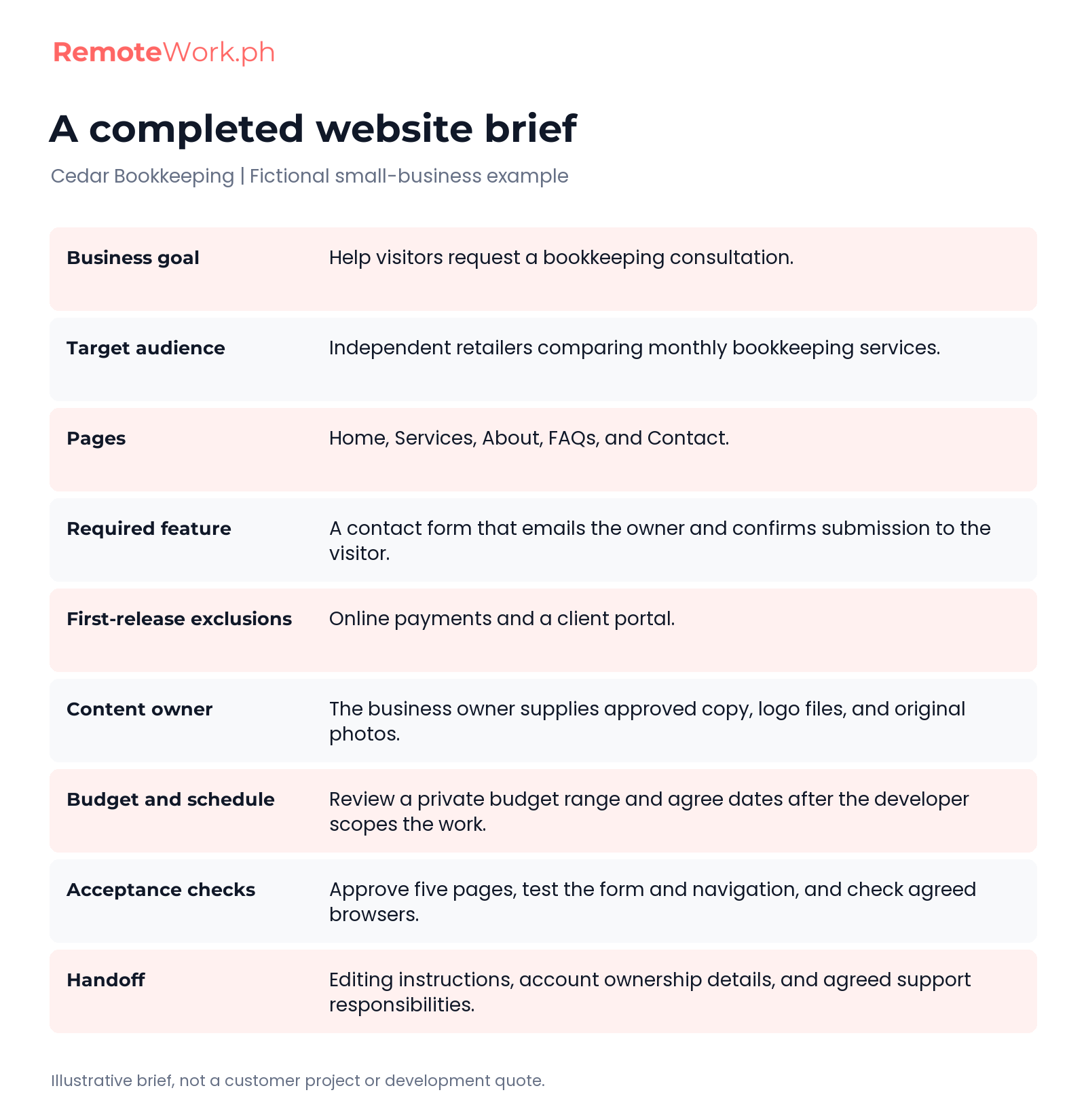
The following is a fictional example, not an actual customer project or a claim about typical development costs or delivery times.
| Field | Example answer |
|---|---|
| Project overview | Cedar Bookkeeping needs a clearer five-page website for a local bookkeeping service. |
| Target audience | Independent retailers looking for monthly bookkeeping help. Their main questions concern service scope and how to request a consultation. |
| Goal and measurement | Help visitors send a qualified consultation request. Track completed inquiries after launch; agree a realistic target once a baseline is available. |
| Pages and scope | Home, Services, About, FAQs, and Contact. Online payments and a client portal are excluded from the first release. |
| Features | Mobile-friendly layouts and a contact form that emails the owner. A confirmation appears after a successful submission. |
| Brand and content | The owner supplies approved copy, logo files, and original photos. The developer confirms usable formats before starting. |
| Budget and timeline | The owner provides a private budget range. Schedule and payment stages are agreed after the developer reviews the brief. |
| Acceptance and handoff | Approve all five pages, test the form and navigation, confirm agreed browser checks, and receive editing instructions and account ownership details. |
The example turns a vague request into a defined starting point. Your version can include a booking system, shop, or membership area, provided you explain the extra requirements and responsibilities.
Common mistakes that cause project delays
Missing content can hold up a build even when the developer is available. Confirm when copy, product details, and images will arrive, and decide whether draft material is acceptable during development.
Vague approval language creates another problem. Replace “make it look professional” with examples, brand guidelines, and specific checks. Consolidate feedback through one approver so conflicting requests can be resolved.
Keep new requests visible. Adding a store, extra language, or integration changes the work. Ask for the cost and schedule impact before approving an addition.
Before you share the website brief
- Check that the goal and target audience are clear.
- List included pages, essential features, and exclusions.
- Link approved assets and name their owners.
- Separate the build budget from ongoing costs.
- Identify deadlines, dependencies, and the final approver.
- Explain how you will test and accept the deliverables.
- Mark unanswered questions for discussion.
Use the brief to find the right web developer
Once the brief is ready, use the same document when discussing the project with candidates. Ask them to explain their approach, relevant work, assumptions, and what is included in their proposal.
Compare responses against the brief’s requirements. Check who handles graphic design, content entry, testing, and ongoing support. A low headline quote may cover a different scope from another proposal.
Ask candidates to explain how their past work relates to your project. Discuss any missing skills or outside help they would need, and clarify who takes responsibility for the final deliverables.
Before starting, confirm unresolved decisions and keep the approved project brief accessible. A successful web design project needs continued communication as the work develops.
You can find a Filipino web developer through our hiring page and compare profiles, skills, and rates against your requirements. Keep the brief at the center of the conversation, then agree scope, responsibilities, and acceptance checks before work begins.
Frequently Asked Questions About Website Brief Templates
What is a website brief?
A website brief is a planning document that explains the business goal, target audience, pages, features, and limits of a website project. It also names who supplies content, approves decisions, and accepts the work. Use it to give developers enough context to ask questions and prepare a proposal. Keep it updated as you agree on the details.
How do I write a website design brief?
Start with the problem the website should solve and the people it needs to serve. Then list the pages, must-have features, design references, content owners, budget, timeline, and approval checks. A design brief template can help you save time collecting these details. Ask the developer to clarify technical choices, exclusions, and dependencies before you approve the final scope.
How do I write a creative brief for a website?
Describe the audience, the business objective, the main message, and the response you want from visitors. Add the brand’s tone, visual direction, supporting assets, and any constraints. Creative brief templates can organize that strategy; the website project brief then connects it to specific pages, functionality, deliverables, and acceptance criteria. Keep the documents consistent so the creative direction can guide the build.